
AutomateWorks
Automating product configurations and other repetitive design tasks shortens lead times, reduces errors, and allows engineers to focus on more demanding work.
AutomateWorks automates standardized SOLIDWORKS workflows quickly and reliably, without requiring CAD expertise. It can also be used in a web-based environment, scaled to multiple users, and integrated with other systems.


Using AutomateWorks as a design tool saves significant time. Our largest components previously took over 2,000 hours to design. With automation, design time has been cut by more than half.
We wanted to streamline our workflow and speed up the quoting process. With AutomateWorks, I can calculate the unit cost for different product versions, and the configurator generates a drawing to be attached to the quote. The need to verify technical specs has decreased significantly. Our customer was impressed by how quickly and accurately the quote was delivered.
We scaled up the production of quotes containing drawings and 3D models significantly. Our distributors use the configurator around the world, and the drawings and 3D models generated by AutomateWorks greatly improve quote quality. Our goal of more effective sales support has been achieved.
- < 50 %
- Design time for large assemblies
- 99.5 %
- Faster sales configurations
- 25 +
- Years of continuous development
Accurate and Efficient Configuration Changes with AutomateWorks
Repetitive, standardized dimension and configuration changes, as well as other routine design tasks, can be automated with AutomateWorks. Changes are made by entering the required input values, and the add-in updates the model automatically. In a single operation, all changes are applied across the entire assembly—3D models, 2D drawings, flat pattern files, bills of materials (BOMs), and visual quote images.
AutomateWorks is particularly well suited for configuring standard products to meet customer-specific requirements. Typical use cases include dimension-based variations or replacing components with alternative parts. Customized quote images are generated quickly without CAD expertise, and configuration and dimension changes are applied accurately without the risk of human error. In the best cases, the time needed to produce customer-specific configurations for quotes can be reduced by up to 99.5%. In addition, engineers can focus on more demanding design work.

An Easy-to-Use SOLIDWORKS Add-in for Configuring Standard Products
AutomateWorks is a versatile tool for making configuration and dimension changes to standard products quickly and reliably. It is well suited for various use cases, including sales and marketing use. Customer-specific quote images are generated quickly without requiring design resources. The customer receives a clear and visually informative quote for the requested configuration.
AutomateWorks is operated through an Excel-based user interface, configurable to match company-specific needs. The user enters key dimensions and other parameters as input values. No CAD expertise is required, and in some cases not even a SOLIDWORKS license. Based on the input, the add-in automatically updates the relevant design documents, including 3D models, drawings, bills of materials (BOMs), and visual quote images. The completed documents can be saved in formats such as PDF, DWG, DXF, IGES, STEP, or JPG.

AutomateWorks is a
SOLIDWORKS
Solution Partner Product
AutomateWorks has been accepted into the SOLIDWORKS Solution Partner Product program. Partner Product status is awarded to solutions that complement SOLIDWORKS, are technically compatible with it, and provide added value to users.
AutomateWorks is designed to operate directly within the SOLIDWORKS environment, utilizing its user interface and data structures. The Partner Product status demonstrates that AutomateWorks meets the quality and compatibility requirements set by SOLIDWORKS.

Company-Specific Command Sequences as the Foundation for Automation
AutomateWorks is based on command sequences that replicate the steps a design engineer would perform manually to apply the required changes to a SOLIDWORKS model. Command sequences typically cover the operations, modifications, or configurations that a company needs for its own products.
The command sequence is built in Excel and contains command rows and calculation formulas. The data entry user interface is also created in Excel. Creating a command sequence requires a thorough understanding of SOLIDWORKS, the structure of the standard product being automated, and the logic of AutomateWorks. The Excel-based user interface can be adapted to meet the organization's needs within the capabilities of Excel.

AutomateWorks Server—Built for Multiple Users and System Integrations
AutomateWorks Server brings AutomateWorks functionality to a web-based environment, enabling command sequences to be run centrally. It is well suited for situations where configuration needs are extensive or multiple users are involved. Configurations can also be triggered from outside the organization, supporting sales teams working in the field. Configuration can be embedded into company websites or customer portals, allowing end customers to create product configurations tailored to their own needs.
AutomateWorks Server can be installed on the company's own workstation or used as a cloud service. Typically, one or more CAD-ready workstations within the company are used to execute the command sequences.
The API included in AutomateWorks Server enables integration with other systems, such as CPQ software, ERP systems, or external web services. For example, an ERP system can automatically send a parameterized request that triggers the required configuration in the background. A built-in webhook functionality supports monitoring and data transfer. For example, notifications of failed executions can be sent by email, or selected events can be forwarded to external systems for further processing.


AutomateWorks Carries the Key Flag Symbol product
AutomateWorks has been awarded the Key Flag Symbol as recognition of Finnish work and expertise. The development, maintenance, and customer support of the add-in are carried out entirely in Finland, meeting the domestic origin requirements for the Key Flag Symbol.
The Key Flag Symbol is granted by the Association for Finnish Work.
These companies also use AutomateWorks
10.01.2020
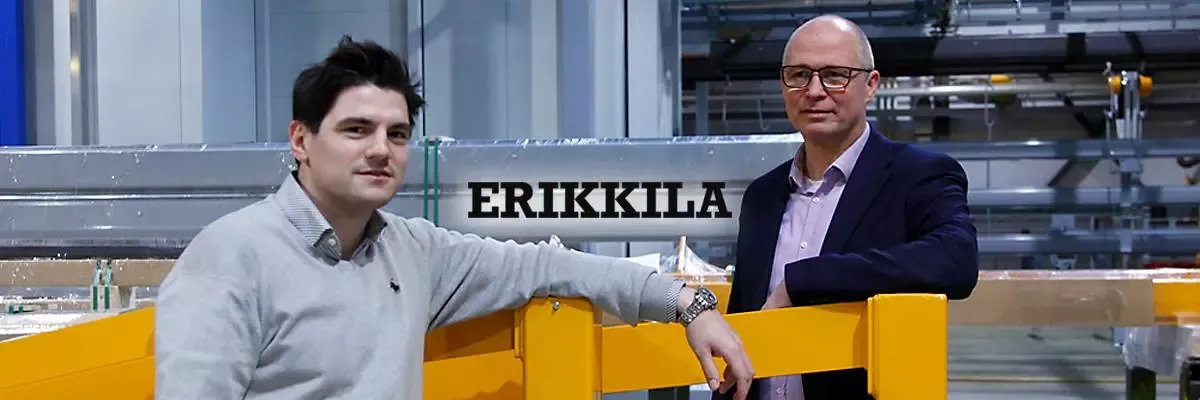
Case KITO ERIKKILA: Piirustusten ja 3D-malleja sisältävien tarjousten tuotanto moninkertaistui AutomateWorksin avulla

27.01.2017
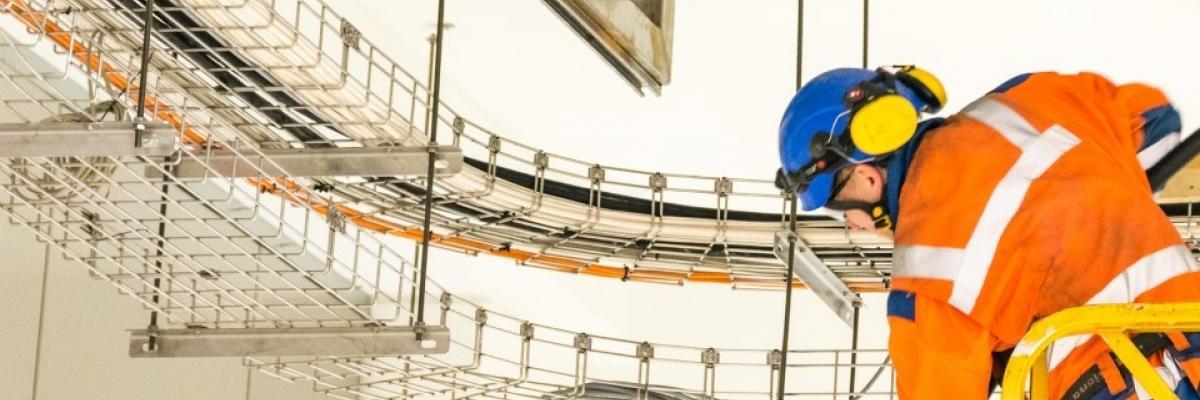
Case Meka Pro: AutomateWorksilla tarkat kuvat jo tarjousvaiheessa – näin Meka helpotti asiakkaan ostopäätöstä!
Contact Us
Interested in a SOLIDWORKS Plus license or want to learn more about our products and services? Fill in the form and we will get back to you.
We are happy to help you find the right solution and ensure a smooth implementation of your design system.